
The Key Takeaways
- CMYK is the industry standard for printing because it uses physical inks and delivers predictable, consistent colour results.
- RGB is designed for screens, not print, and produces brighter colours that cannot always be accurately reproduced on paper.
- Printing RGB files can cause colour issues, including dull tones, incorrect shades, and muddy blacks due to automatic conversion.
- Always design in CMYK for print projects to ensure colour accuracy and avoid unexpected results.
- RGB still has an important role in digital design, early-stage concepts, and screen-based content.
- Proper colour management matters. Using the right profiles, proofing, and collaborating with your printer leads to the best print outcomes.
CMYK vs RGB: Which Colour Mode Is Best for Printing?
Even in the competitive business world where companies are vying for customers’ attention, print and graphic design are important.
Whether you are creating a leaflet to hand out to customers or creating a new banner that appears on your social media platforms, the look and colour of what you are displaying is vital.
Colour accuracy is integral to print as it helps you maintain brand consistency, foster certain emotions from your audience, display your professionalism and build brand trust.
The two main colour modes for print design are CMYK and RGB. If you want to create effective designs for your business, it’s important to know what these colour modes are, which one is best to use and when each mode should be used.
What Is RGB?
If you have spent time producing images digitally, you may have come across the acronym RGB.
RGB Colour Mode Explained
RGB stands for Red, Green and Blue. It is a colour mode that is used primarily on digital displays such as monitors, TVs and phone screens.
RGB is an additive colour model. This means that different colours are created by adding red, green and blue light together at different intensities to create a vast array of different colours on the spectrum.
RGB creates more vibrant colours on the screen because digital formats emit light, rather than reflect it, and screens have a wider gamut (range of colours), so they can produce colours that print cannot.
What Is CMYK?
CMYK stands for:
- Cyan – A bright, greenish blue
- Magenta – A purplish pink
- Yellow – A bright yellow
- Key – Black
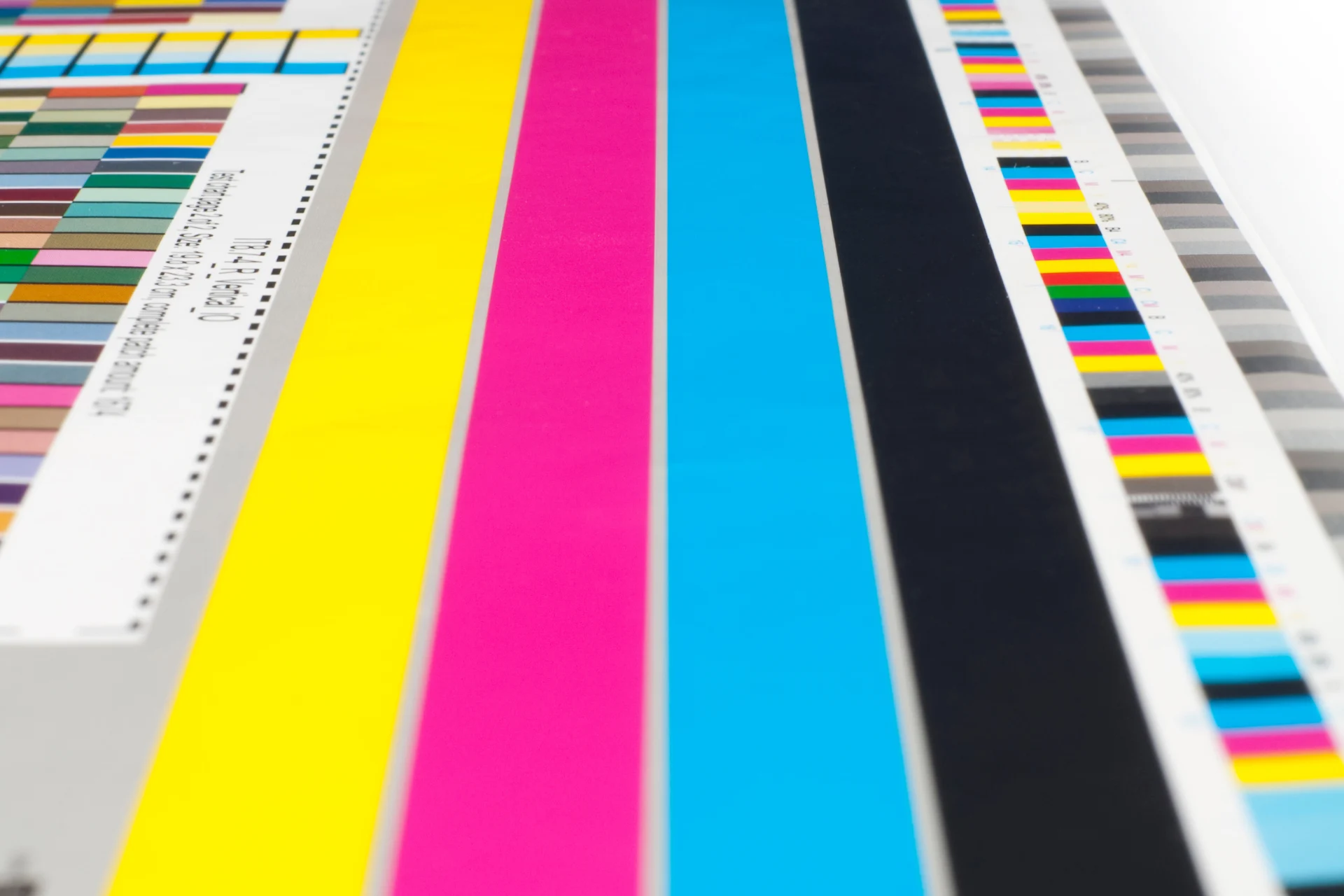
CMYK is the main colour mode used in printing. It is used in professional printing and is the industry standard, being the colour mode to produce leaflets, business cards, company branding and signs.
CMYK is an ink-based subtractive colour model. This means that cyan, magenta and yellow inks subtract white light reflected from the paper. When you change the amounts of each of these inks, you produce a wide range of colours.
K, or black, is added separately to give depth and detail to colours and create shadows. Also, CMY cannot produce a true black.
CMYK vs RGB: Key Differences
When considering RGB vs CMYK, the differences are important. Here they are side by side:
| CMYK | RGB | |
| Colour Creation Method | Uses Cyan, Magenta, Yellow, and Black in varying amounts to create colours. | Combines Red, Green, and Blue light at different intensities to produce colours. |
| Colour Range (Gamut) | Has a more limited colour gamut. It cannot reproduce some vivid colours found in RGB. | Offers a wider colour gamut, ideal for vibrant and bright hues. |
| Intended Use | Print materials such as brochures, posters, and magazines. | Designed for digital screens, including screens, smartphones, and websites. |
| Output Accuracy | Accurate and consistent in print material. | Colours appear consistent across most digital devices, but calibration may be needed for completely accurate output. |
| File Setup Requirements | Files should be set to CMYK for print jobs. | Files should be set to RGB for digital use. |
Why CMYK Is Best for Printing
So, if RGB can produce more colours, why do printers use CMYK?
There are actually many reasons CMYK is the industry standard, such as:
- Printers physically use CMYK inks – CMYK is an ink-based colour model and what is used by the overwhelming majority of printers, as it is designed for physical printing.
- RGB files can lead to unexpected colour shifts – RGB colours are more vibrant and can produce a wider range of colours. If printed, there will be unexpected and unwanted colour shifts as CMYK produces more muted colours.
- CMYK provides predictable, consistent results – From the first page to the last, if there is enough ink, then the colours across all pages will be the same.
- Professional print workflows are built around CMYK – Professional software and printers are built around the CMYK model, which is the default in every work environment.
Printing can seem mundane and vitally important at the same time. PSC offers print management solutions for companies, bringing years of experience with professional print systems and colour accuracy.
What Happens If You Print an RGB File?
Common problems that occur if you print an RGB file include:
- Dull colours
- Incorrect shades
- Auto-conversion issues
- Muddy blacks
How Printers Convert RGB to CMYK
RGB and CMYK colours have numbered values. The RGB scale is 0–255, and the CMY scale is 0–1 with K added later.
The printer takes the RGB data and converts it into the CMYK scale by subtracting RGB colours from white. This helps the printer figure out what ink percentages are needed to accurately print the colours.
Auto-conversion in this process is risky as you do not know how closely the software will match colours, producing unexpected shifts and dull results.
When RGB Is Still Useful
It may sound like CMYK is the only way to go, but RGB is still essential.
Use RGB for:
- Digital-first designs
- Web graphics and social media
- Early-stage design before print finalisation
- Hybrid workflows (use RGB for screen preview to maintain vibrancy and switch to CMYK for print output)
How to Convert RGB to CMYK Correctly
RGB to CMYK conversion may seem like a big task, but it is a fairly simple process. Steps to take include:
- Use professional design software: Programs such as Adobe InDesign, Illustrator, and Photoshop make it easy to convert files accurately.
- Choose the correct CMYK colour profile: Choosing the CMYK profile that matches your printing conditions will result in more accurate results.
- Soft-proofing and test prints: Previewing before printing and doing a single test print will allow you to see the result before committing, allowing you to make changes.
- Work with your print provider early: Choosing your printer provider and working with them early in the process is important. With more time to collaborate, you can see what they produce, know their printer capabilities and avoid errors.
Tips for Accurate Colour Printing
Ensuring accurate colour printing is not something you should always stress about. There are steps you can take to achieve more accurate colour printing for your projects. They include:
- Always ask your printer for colour specs: Asking your printer about their colour specs and the paper they use means you can create a closer colour match during the design process and know what they are capable of printing for you.
- Use CMYK from the start for print projects: Starting the project in CMYK ensures that the colours you choose are in a printable range, so there are no surprises down the line.
- Avoid overly saturated RGB-only colours: Vibrant colours such as neon green and bright oranges cannot be reproduced by ink and will result in unexpected shifts when you print, so don’t include them in your project.
- Request proofs for critical jobs: Getting a proof before full production will allow you to see what the colours look like on the material, and you can make changes as needed.
CMYK vs RGB: So, Which Colour Mode Is Best for Printing?
When it comes to CMYK vs RGB for printing, the former is the clear winner. It is the industry standard for print production for a reason: it produces predictable and consistent results that match your expectations.
If printing and colour modes aren’t your area of expertise, help is available. We at PSC Systems offer numerous printing solutions for small businesses, helping you ensure colour accuracy and produce material that helps your company stand out.
Contact us now for a consultation to see how we can help you.
Colour Printing Services at PSC Systems
PSC Systems has years of industry experience, providing printing, production, card, and mailing services. We offer a powerful partnership to businesses, ensuring reliability and accuracy.
If you want to know about printing colour modes and how we can help, call the team now at 0151 668 0764 or email info@pscsystems.co.uk.
Posted on Thursday, January 22nd, 2026 at 9:56 am in Printing.